 Cashom
How to organise household expenses by category
Separate rent, renovations, food and transport in Cashom. Use subcategories to understand household spending on your Windows PC.
Sairasoft · Cashom usage guide
Start with categories you can review
A short list makes daily entry easier: Home, Food, Transport and Leisure. Add subcategories that answer useful questions. Under Home, separate Rent, Utilities, Maintenance and Renovations instead of creating a new top-level category for every purchase.
Rent and renovations tell different stories
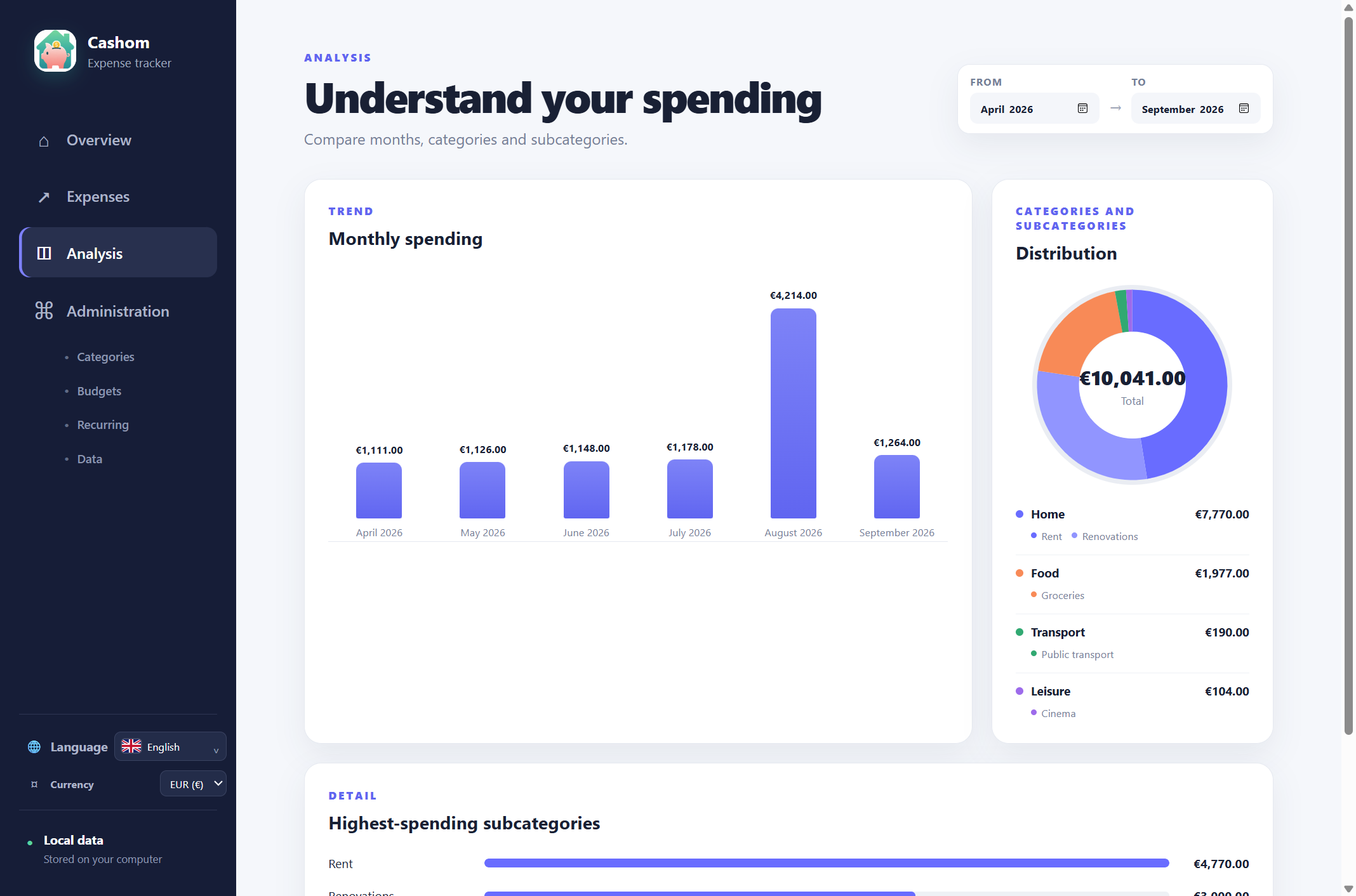
The demonstration screenshot shows €7,770 for Home: €4,770 in accumulated rent and €3,000 in renovations. The category total shows the cost of housing, while subcategories explain the increase. Related shades distinguish both in the doughnut chart, and the detailed bars compare their amounts. These are fictional records.
Record regular and exceptional costs
Type to find a category and subcategory in Expenses. Descriptions and photos are optional. Rent can be a recurring rule: when you open Cashom, it checks the current month and adds a missing entry. It does not automatically backfill every previous month.
Compare matching periods
Choose the month range in Analysis. Compare an ordinary month with the renovation month or review several months together. A one-off repair can explain a spike without any change in rent.
Keep the record on your PC
Cashom runs on Windows 10 and 11. Enter records manually or import CSV files; it does not connect to your bank. Export filtered expenses when you need to review them elsewhere.